
The Time-Based Tennis Scoring Format lets providers run matches with a set time limit (e.g., 30 minutes) instead of playing full sets. This flexible format helps create shorter, high-volume events while still counting results toward a player’s Verified UTR Rating.
When enabled, the minimum verified game requirement is lowered from 6 to 4 games, allowing scores like 4–3, 4–2, 4–1, or 4–0 to qualify. A stopwatch icon appears across the platform to show when a timed match format is used.
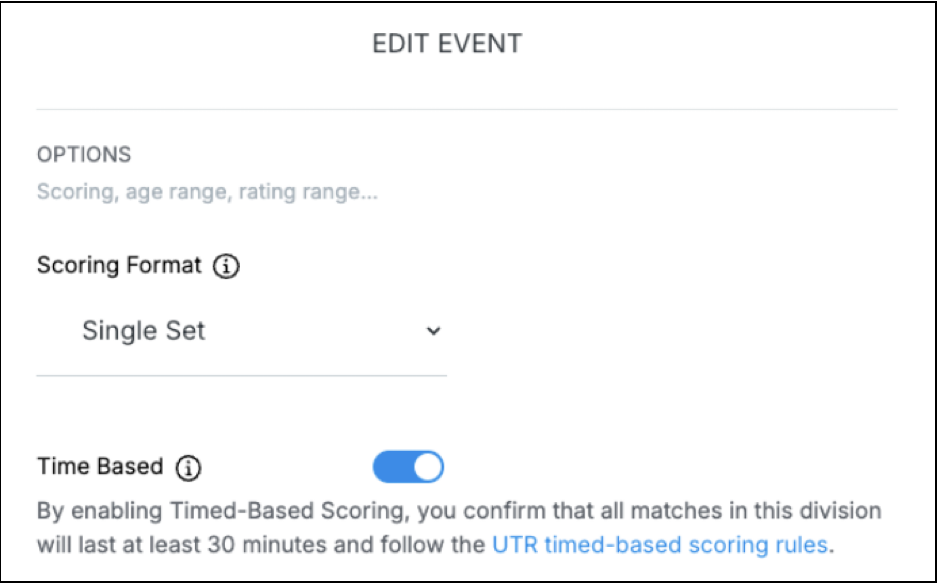
The Time-Based setting can be enabled at two points within the Event Desk:
1. During Event Division Setup
- Navigate to Create/Edit Event → Step 2 (Divisions).
- Toggle the new “Time Based” option next to the scoring format.
- When enabled, the event will use timed match rules (minimum 30 minutes).
2. During Draw Creation in Event Desk
- When creating or editing a draw, you’ll see another “Time Based” toggle near the Scoring Format field.
- Once enabled, a provider acknowledgment message will appear, reminding you to follow timed match guidelines.
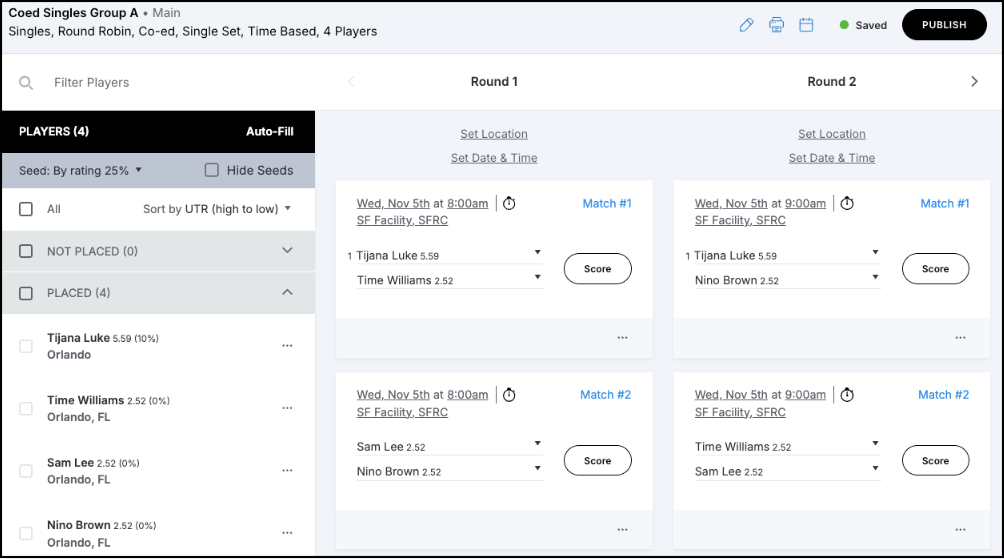
Verified Score Requirements
When the Time-Based toggle is ON for a draw:
- The minimum verified game count per set is reduced to 4 games (instead of 6).
- Applies to all score posting methods: (Event Desk, Event Profile, Order of Play, Match Sheet)