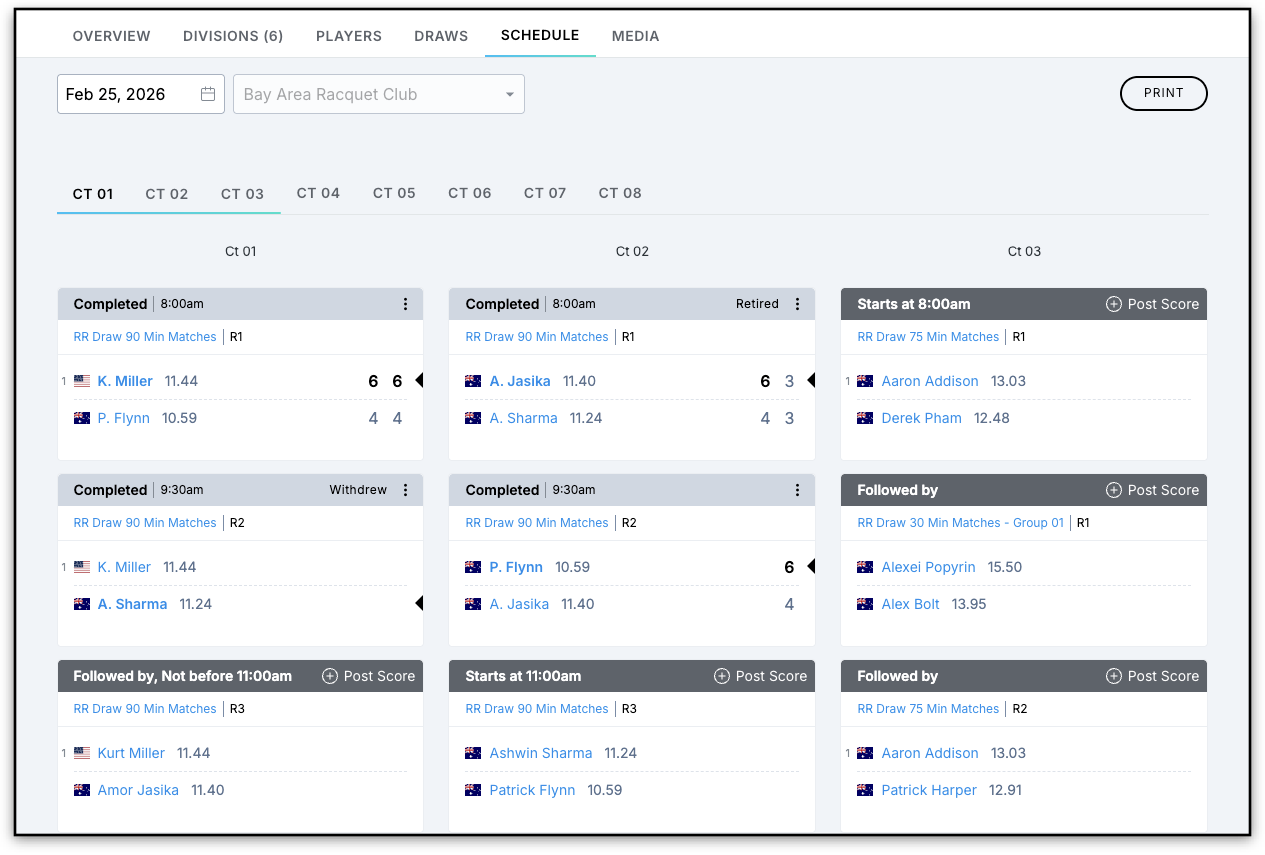
UTR Sports have redesigned Match Cards across all events to provide a cleaner, more consistent layout and improved player information. These changes apply to all events across web, mobile web, and iOS.
Player Details
- Ratings are now visible on the Schedule tab.
- Nationality is shown with a flag icon and a hover-over country name.
- Clickable Player Names: Click a player’s name to view their profile.
Match Status Indicators
Status | Banner Color | What’s Displayed |
|---|---|---|
Upcoming | Dark Grey | “Starts at,” “Not before,” or “Followed by” |
Completed | Light Grey | Final scores and match duration |
Suspended / Abandoned | Grey with label | Weather delays, cancellations, or other interruptions |
Retired / Withdrawn / Defaulted / Forfeited / Walkover | Upper-right label | Match outcome indicator |
Player Name Logic
- Upcoming matches: Full first and last name
- Completed or Live matches: First initial + last name
Match Cards as seen in the Draws tab
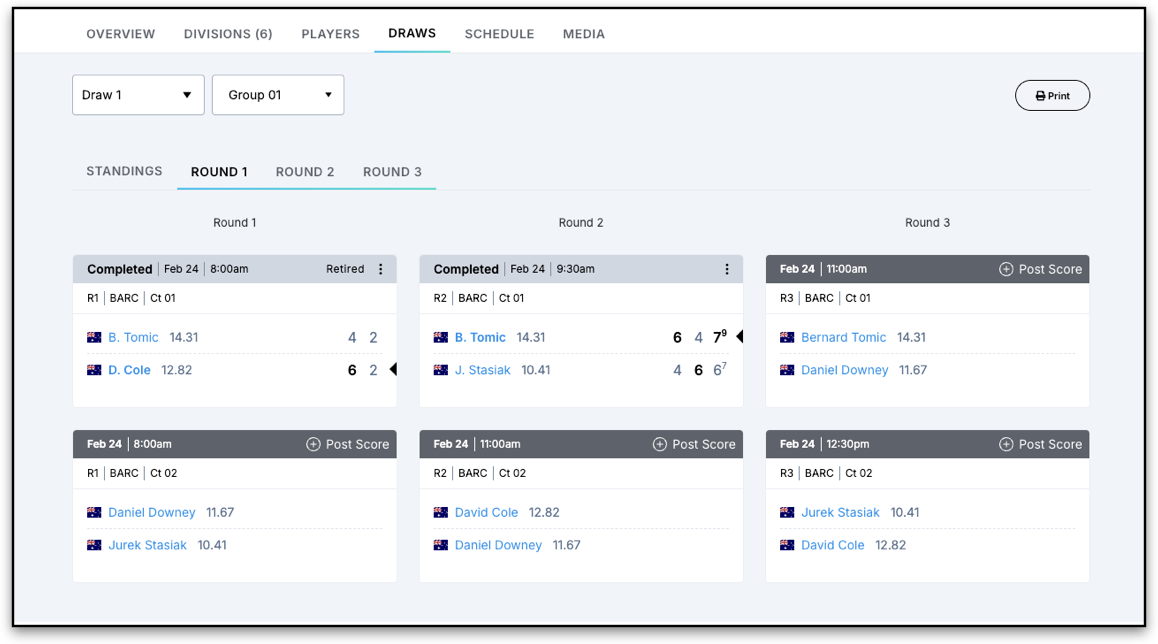
Match Cards as seen in the Schedule tab (Order of Play)