
Players participating in SMS-enabled events can receive important event updates and match result notifications via text message.
If an event has SMS messaging enabled by the provider, players may receive:
- Event updates
- Important tournament communications
- Match result notifications
SMS notifications are optional and can be turned on or off at any time.
Note: SMS notifications currently support US phone numbers only.
Opting In to SMS Notifications
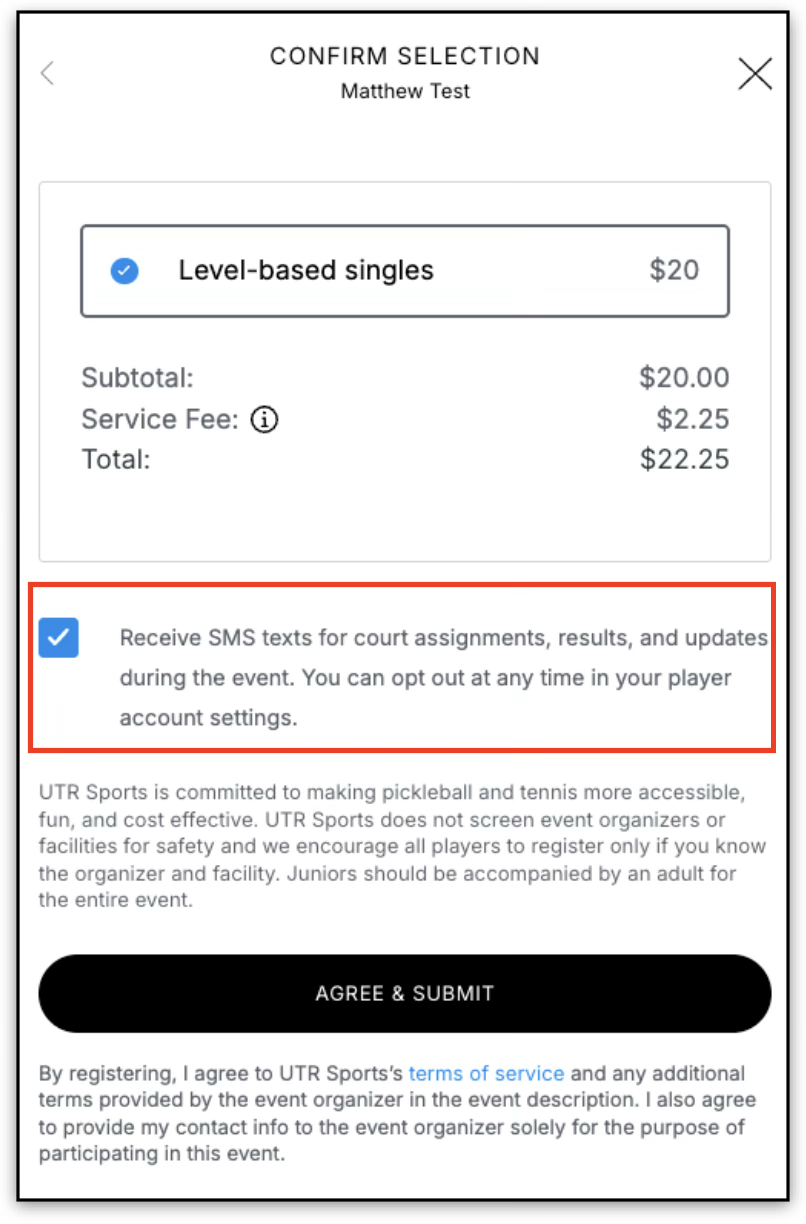
When registering for an SMS-enabled event, players will see an SMS notification option during registration.
Default SMS Setting
- SMS notifications are turned ON by default during registration.
- Players can choose to turn SMS notifications OFF before completing registration.
If SMS remains enabled, players may receive text updates related to the event.
Updating SMS Preferences
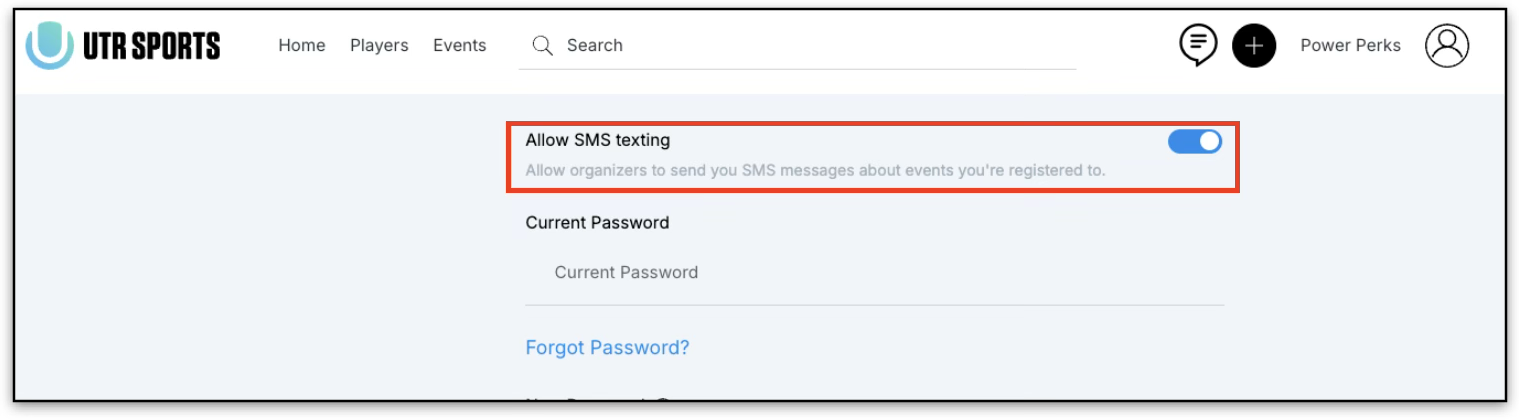
Players can update their SMS notification preferences anytime after registration.
How to Update SMS Settings
- Sign in to your account.
- Navigate to Player Settings.
- Locate the SMS notification setting.
- Toggle SMS notifications ON or OFF.
Changes apply to future event communications.
Frequently Asked Questions
Q: Do I have to receive SMS notifications?
A: No. SMS notifications are optional and can be disabled during registration or later in Player Settings.
Q: Can I turn SMS notifications back on later?
A: Yes. Players can update their SMS notification preferences anytime through Player Settings.
Q: What types of messages will I receive?
A: Players may receive:
- Event updates
- Tournament communications
- Match result notifications
Q: Are international phone numbers supported?
A: No. SMS notifications currently support US phone numbers only.