
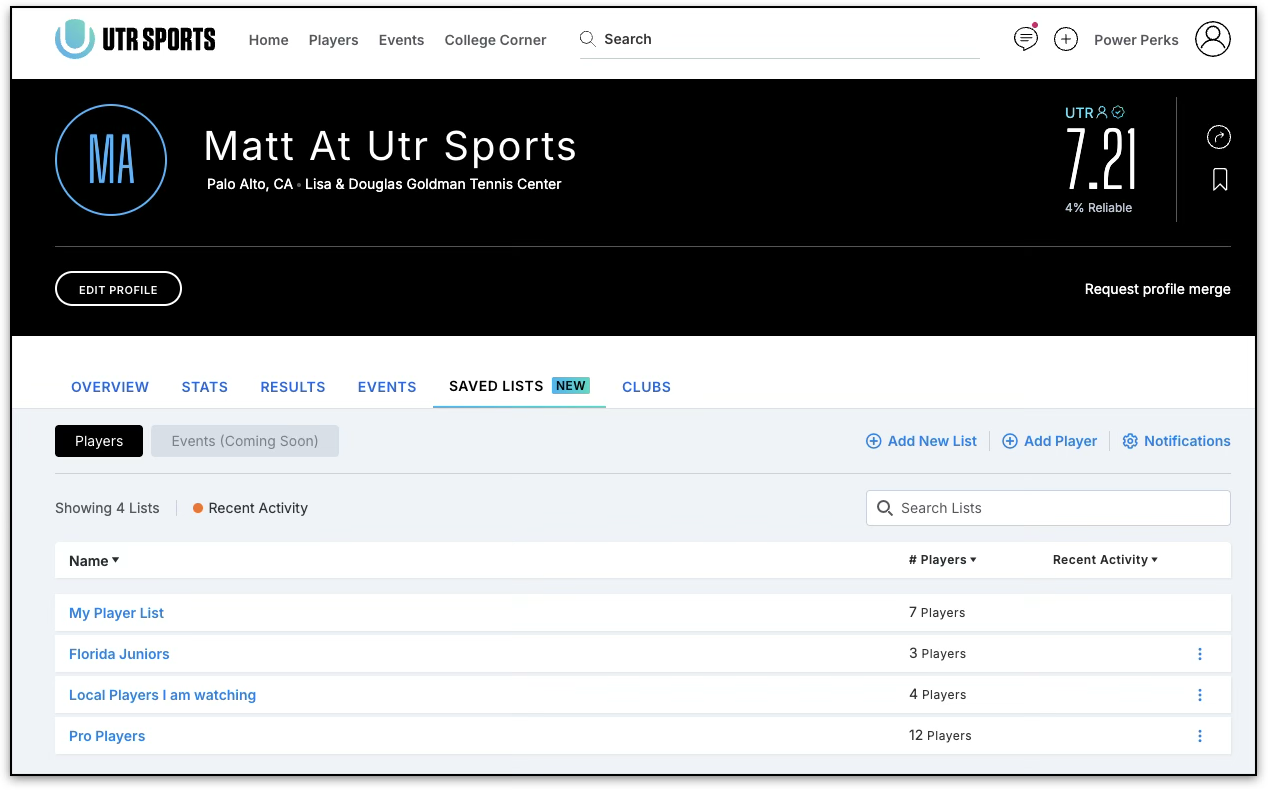
Saved Player Lists lets you save and organize players you want to keep track of in one place.
With Saved Player Lists, Power members can create multiple lists, track players’ UTR rating changes, and receive weekly updates about meaningful activity from their saved players.
Who can use Saved Player Lists?
Saved Player Lists is available exclusively to Power users.
What can I do with Saved Player Lists?
With Saved Player Lists, you can:
- Create and manage multiple player lists
- Organise players into named lists
- Search and sort your saved lists
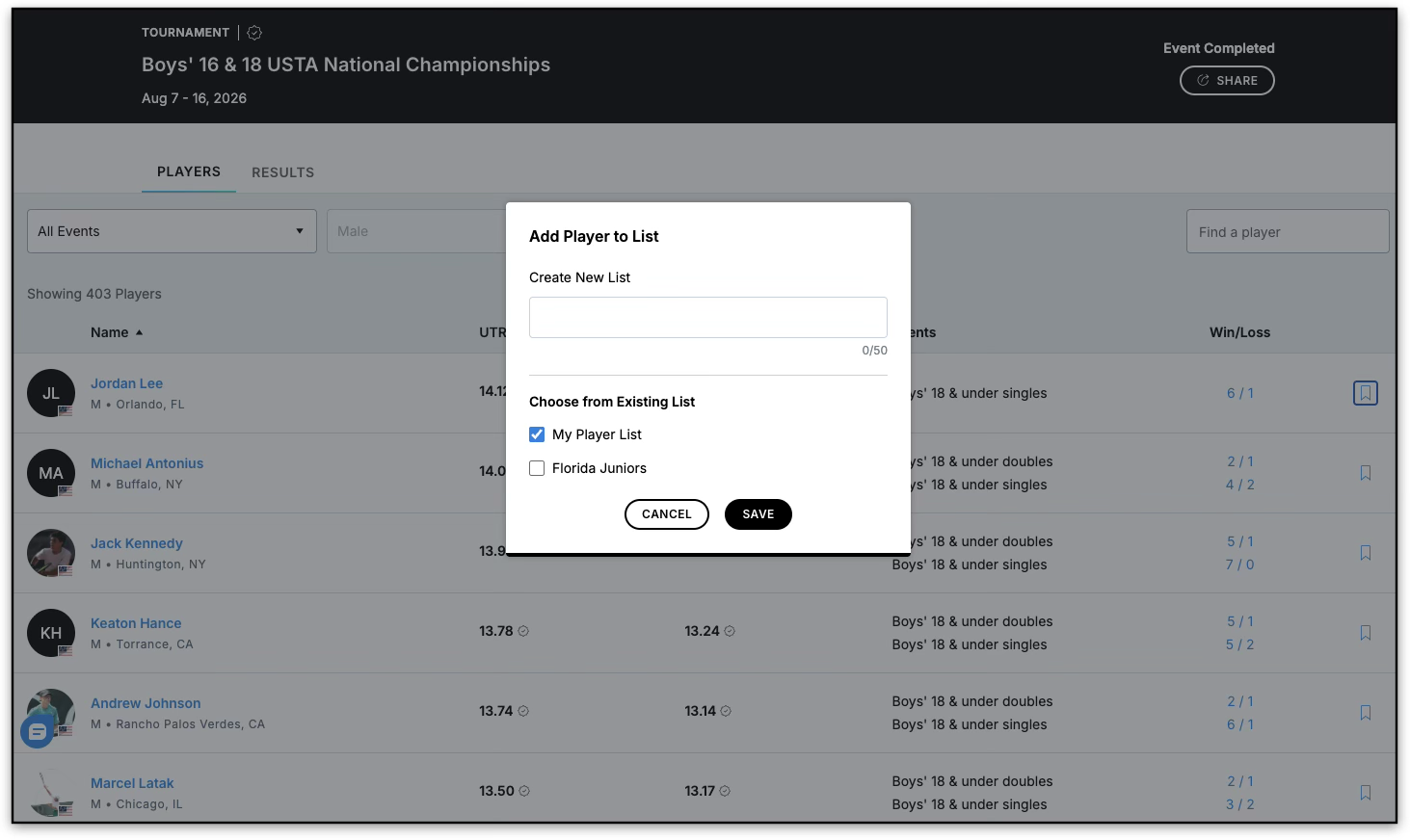
- Save multiple players to one or more lists at the same time
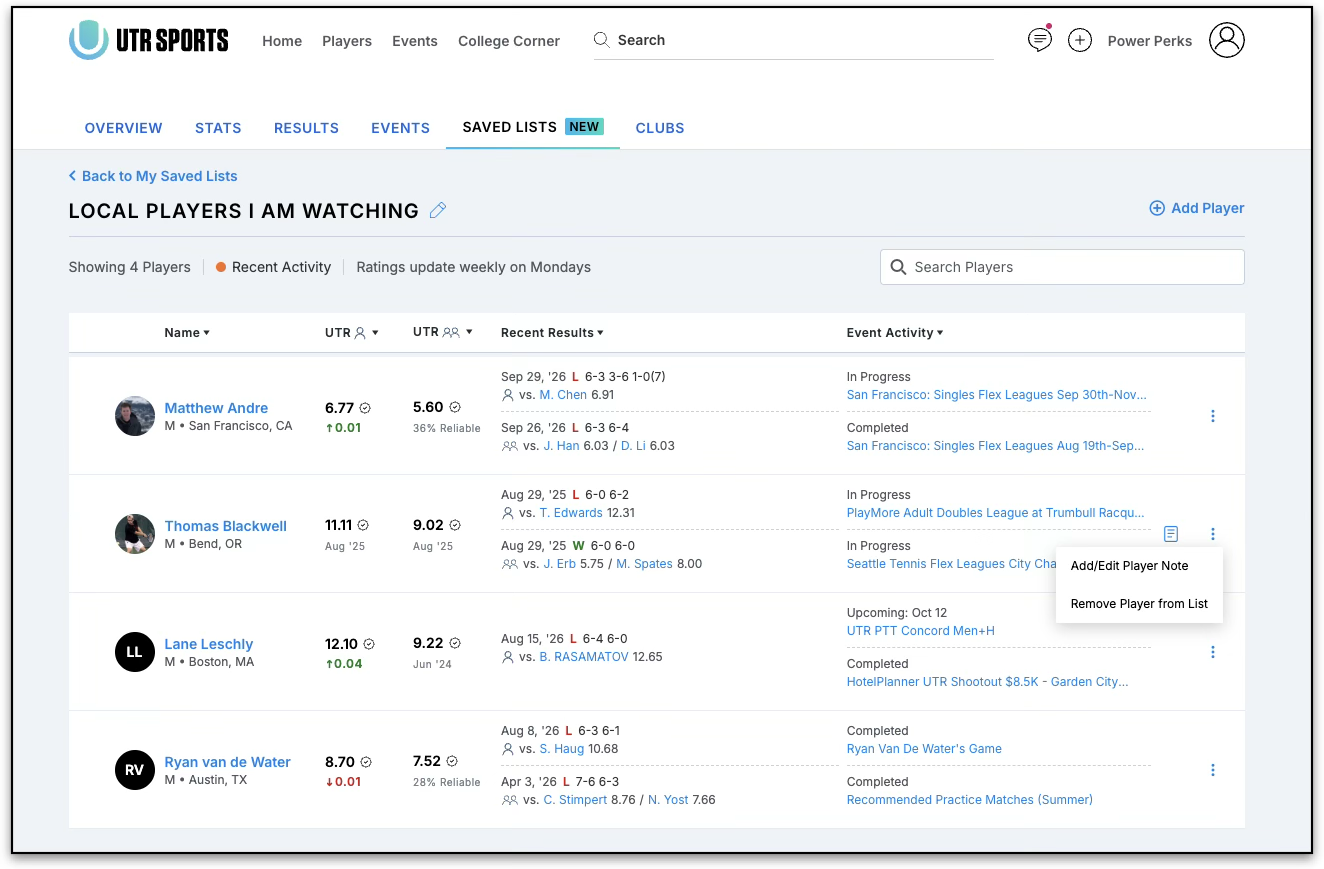
- Track weekly UTR rating updates
- Receive weekly email notifications about meaningful changes
- Add private notes to saved players
- Manage notification settings for your lists
Where can I save a player?
The Save option (or bookmark icon) is available in several places across UTR Sports, including:
- Player profiles
- Global player search
- Event pages
- Rankings leaderboards
This makes it easier to save a player while you’re browsing without needing to search for their profile separately.
How do I organise my saved players?
Saved Player Lists includes a My Lists hub where you can view and manage your saved players.
A default My Player List is available, and you can create additional named lists to organise players based on how you want to track them.
For example, you could use separate lists for:
- Rivals
- Teammates
- Recruits
- Players you’re currently following
- Team or league rosters
You can also add up to 25 players to one or more lists in a single action.
How often are UTR ratings updated?
UTR ratings shown in Saved Player Lists are updated weekly, every Monday.
Ratings do not update in real time within your saved lists, so a player’s rating may not immediately reflect a recent change.
Will I receive notifications about my saved players?
Power members can receive a weekly email digest with meaningful updates about players they’ve saved.
The digest may include:
- UTR rating changes of 0.1 or more over the previous 7 days
- New match results
- Event registrations
You can manage notifications for individual lists as well as your overall Saved Player Lists notifications.
Why didn’t I receive an email this week?
You won’t necessarily receive an email every week.
The weekly digest is only sent when there is meaningful activity among your saved players. For example, a rating change of less than 0.1 will not trigger a notification. If there are no qualifying updates, you may not receive a digest that week.
What happens to my saved players if I no longer have Power?
Your saved-player data is not deleted if your Power subscription expires.
Your saved lists are preserved but become inaccessible while you don’t have Power. If you upgrade to Power again, your saved lists become accessible again.
Why hasn’t a player’s rating updated?
Remember that ratings in Saved Player Lists are refreshed every Monday, rather than in real time.
If the rating still hasn’t updated after the expected weekly refresh, please contact Support so we can look into it.
I saved a player, but I can’t find them in the list
If a player was already saved to a list, the system keeps them in their existing list rather than creating a duplicate. If you can’t find a player, check your other lists in the My Lists hub.