
College Prospect Power (CPP) is an exclusive feature available with an Annual Power subscription, designed to help junior players navigate the college tennis recruiting process.
With CPP, you can manage your college recruiting journey in one place. Build your list of target colleges, share your academic information, showcase your tennis skills with recruiting videos, and track college coach activity on your profile.
Who can use College Prospect Power (CPP)?
College Prospect Power is available to Annual Power subscribers aged 14–25 who are pursuing college tennis recruitment.
If you’re on a Free or Monthly Power subscription, you’ll be prompted to upgrade when accessing CPP features that require Annual Power.
Players aged 12–13 can access the Student Info tab to add and manage their academic information, but they won’t have access to CPP-specific recruiting features until they turn 14.
What can you do with College Prospect Power (CPP)?
CPP helps you manage your college recruiting journey by allowing you to:
- Build and manage your list of target colleges
- View personalized College Fit recommendations
- Add your academic information (GPA, SAT, ACT, and more)
- Update your recruiting status
- Add your recruiting agency information (if applicable)
- Alert colleges that you're interested in their program
- Add recruiting videos to showcase your game to college coaches
- Track college coach activity on your profile, including coaches who have expressed interest in you
- Discover recommended recruiting events near you
How to access College Prospect Power (CPP)
- Sign in to your UTR Sports account.
- Open your player profile.
- Select the College Recruiting tab.
If you don't see the College Recruiting tab, make sure you're signed in with an active Annual Power subscription.
Note: In addition to an active Annual Power subscription, you must be between the ages of 14 and 25 to access College Prospect Power features.
Manage your academic information
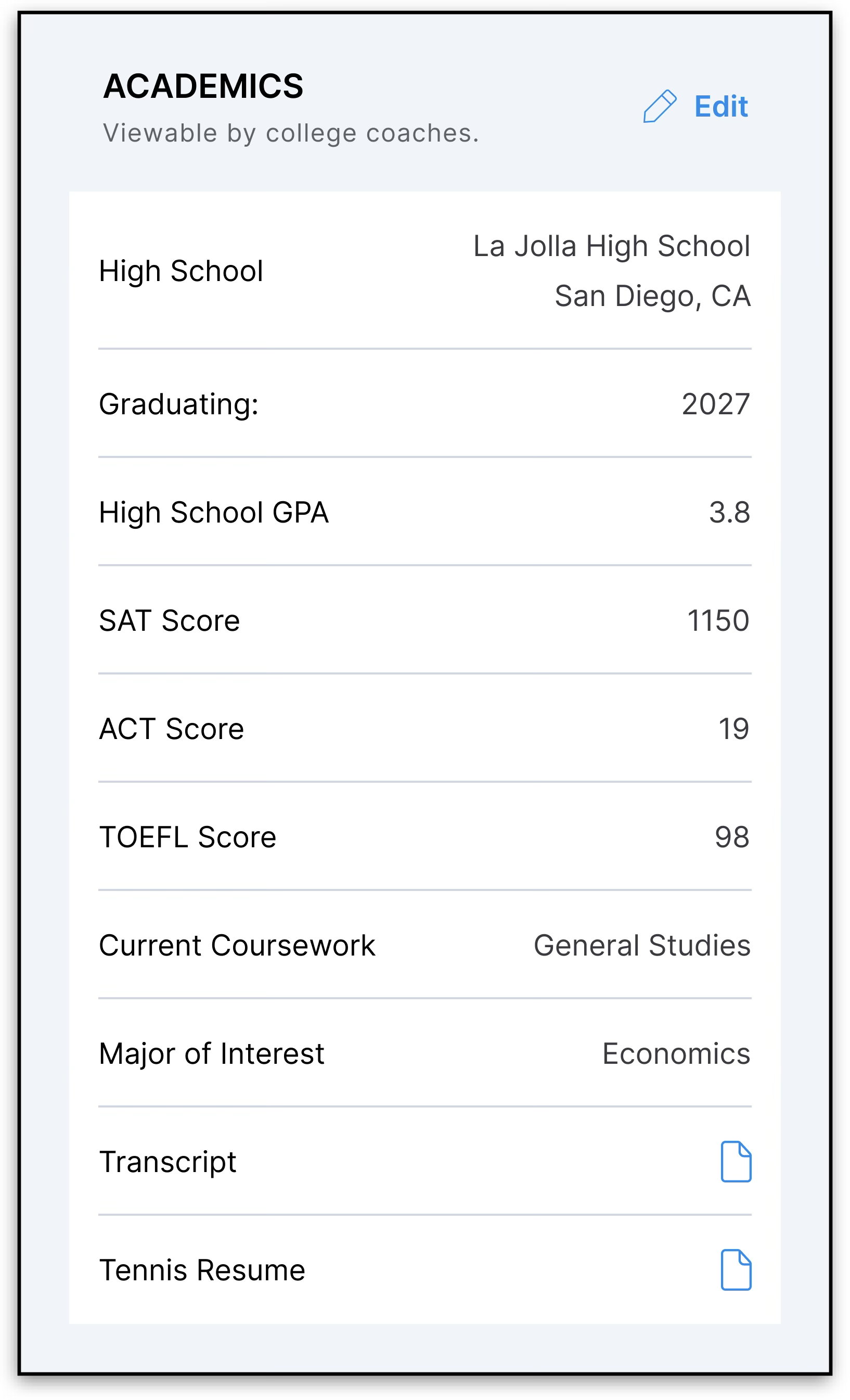
Keeping your academic profile up to date gives college coaches additional information when evaluating potential recruits.
Players of all ages can add and update their academic (student) information. However, players 13 years old and under will not have access to the full College Prospect Power recruiting features until they turn 14.
To add or update your academics:
- Open the College Recruiting tab.
- Scroll to the Academics section.
- Enter or update your:
- GPA
- SAT score (if applicable)
- ACT score (if applicable)
- Any other available academic details
- Save your changes.
We recommend keeping this information current throughout your recruiting journey.
Add recruiting videos to your profile
Recruiting videos allow you to showcase your tennis skills to college coaches directly from your UTR Sports profile.
Eligible Annual Power players aged 14–25 can add up to four recruiting videos.
How to add a recruiting video
- Open your player profile.
- Navigate to the College Prospect tab.
- Find the Recruiting Videos section.
- Add a video link from YouTube, Vimeo, or Hudl.
- Enter a title and description for your video.
- Save your changes.
Each video can have a title of up to 50 characters and a description of up to 150 characters.
You can add, edit, delete, and reorder your videos at any time. Your videos will appear in the order you choose.
Who can see my recruiting videos?
Verified college coaches can view your saved recruiting videos from the Student Info tab on your profile.
The Recruiting Videos section won’t appear to coaches if you haven’t added any videos.
Manage your target colleges
Your target college list helps you organize the schools you’re interested in and manage your recruiting outreach.
You can explore college programs and identify schools that align with your recruiting goals.
To add a target college:
- Open the College Recruiting tab.
- Go to My Target Colleges.
- Select Add Schools.
- Search for and select the colleges you'd like to add.
- Save your list.
You can update your target colleges at any time.
Alert a college that you're interested
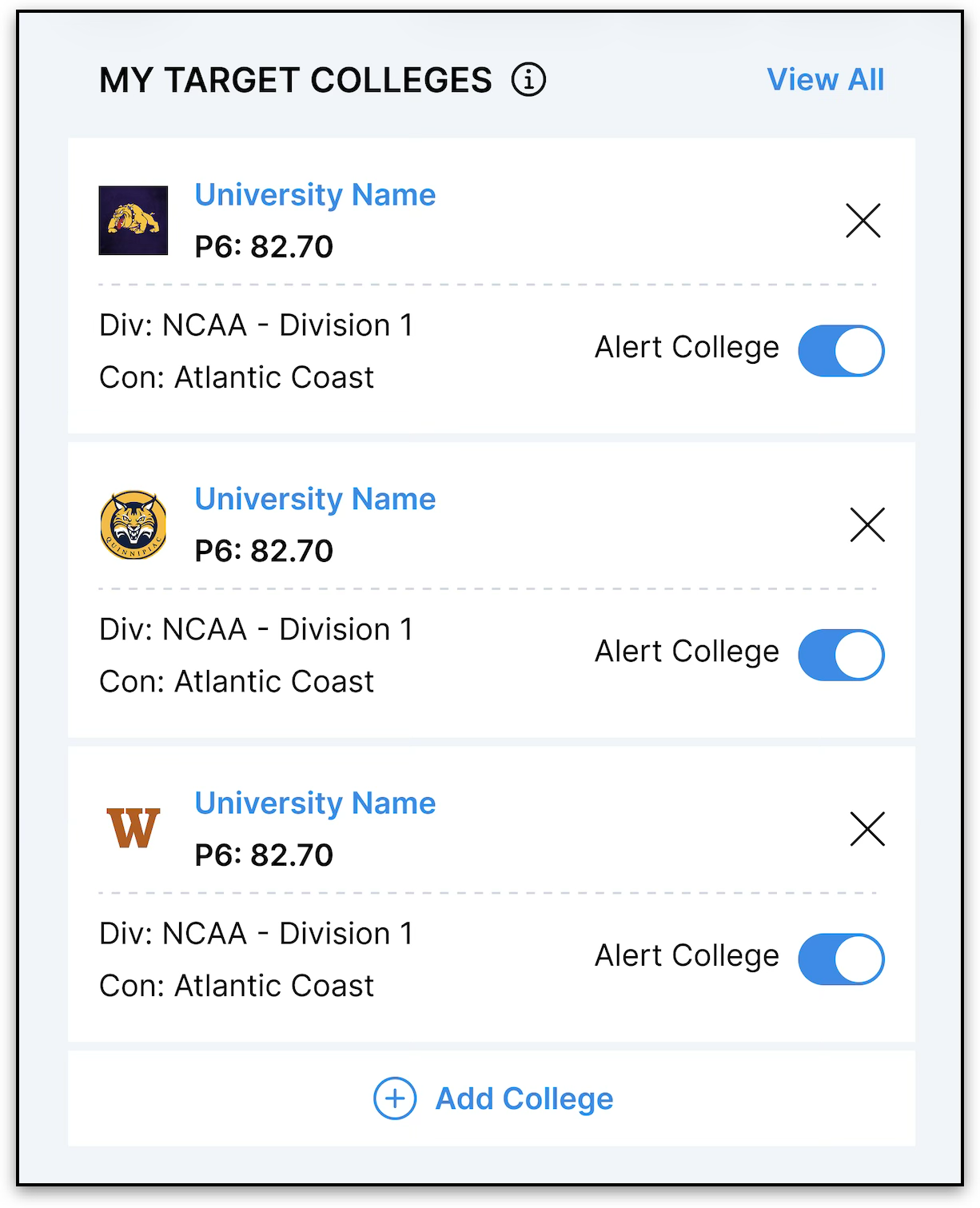
Once you've added a college to your target list, you can let that program know you're interested.
To send an Alert:
- Open My Target Colleges.
- Find the school you'd like to notify.
- Turn on the Alert College toggle.
When enabled, the college receives a notification that you've expressed interest in their program.
Note: You can alert each college only once to help prevent duplicate notifications.
Why might a college not receive an email alert?
College coaches can set recruiting criteria to help them identify prospects who match their program’s needs.
If you alert a college but don’t meet its current recruiting criteria, your interest will still be recorded and you’ll still be added to the college’s prospect list. However, the coaching staff won’t receive an email alert about your interest.
You’ll see a message if you don’t currently meet a program’s criteria.
This doesn’t mean the college has rejected you. It simply means your current profile doesn’t meet the criteria the program has set.
Keeping your UTR and graduating class information up to date can help you understand which programs may be a good fit.
Manage your notifications
To stay informed about your recruiting activity, make sure your notifications are enabled.
With notifications turned on, you'll receive updates when:
- A college coach expresses interest in you
- You receive recruiting-related activity
- Other CPP notifications become available
You can manage your notification preferences in your account settings, where you can choose whether to receive push notifications, email notifications, or both (depending on your device and account settings).
Track coach activity
CPP helps you stay informed about coach engagement with your profile.
In the College Coach Activity section, you can:
- View coaches who have viewed your profile
- See programs that have indicated they're interested in you
This helps you better understand which colleges are actively engaging with your recruiting profile.
Frequently Asked Questions
Q: Why can't I access College Prospect Power?
A: CPP is available exclusively to Annual Power subscribers. If you're using a Free or Monthly Power subscription, you'll need to upgrade to access these features.
Q: I alerted a college, but they haven't responded. Why is that?
A: Alerting a college lets the coaching staff know you're interested, but it doesn't guarantee a response. Coaches decide how and when to engage with prospective student-athletes.
Q: Can I update my academics later?
Yes. You can return to the Academics section at any time to update your GPA, test scores, or other information.
Q: Can I remove or change my target colleges?
A: Yes. Your target college list can be updated whenever your recruiting goals change.
Q: Why can't I add Target Colleges or use Alert College?
A: These features are available only to Annual Power subscribers ages 14–25. If you're 13 years old or younger, you can still add and update your academic (student) information, but you'll need to be at least 14 years old to access the full College Prospect Power recruiting features, including Target Colleges and Alert College.
Q: Why Was I Told That I Don’t Meet a College’s Recruiting Criteria?
A: The program has set recruiting criteria that your current profile doesn’t meet. This may relate to your singles UTR or graduating class.
This message doesn’t necessarily mean the college has rejected you. Your interest is still recorded, and you’ll still appear on the college’s prospect list.
Q: Why Can’t I Add a Recruiting Video?
A: Recruiting Videos are available to Annual Power subscribers aged 14–25.
If you’re on a Free or Monthly Power subscription, you’ll need to upgrade to access this feature.
Make sure you’re using a supported link from YouTube, Vimeo, or Hudl.
Q: How Many Recruiting Videos Can I Add?
A: You can add up to four recruiting videos to your profile at a time.
If you’ve reached the limit and want to add another video, delete one of your existing videos first.
Q: Can I Edit or Delete My Recruiting Videos?
A: Yes. You can edit, delete, and reorder your videos from the Recruiting Videos section of your College Prospect tab.
Q: Why Can’t My College Coach See My Recruiting Videos?
A: Only verified college coaches can view recruiting videos.
Make sure your videos have been saved to your profile and that you’re using links from YouTube, Vimeo, or Hudl.