
See more details about your USTA league matches and tournaments, including the UTR ratings of the players involved.
Imported Event Pages turn USTA results on your UTR Sports profile into interactive pages where you can view participants, results, and UTR rating information.
What are Imported Event Pages?
When an Imported Event Page is available for a USTA result, the event name on your profile becomes clickable, or the event may appear as a card in your Events or Overview tab.
The page can show:
- Every participant in the match or tournament
- UTR ratings for the participants
- Full match or event results
- A way to report an incorrect score
There are two types of Imported Event Pages:
- Imported League Match Page: provides a full USTA Adult League scorecard with UTR ratings for players on both teams.
- Imported Tournament Page: provides tournament draws with UTR ratings for each participant.
Where can I find an Imported Event Page?
There are three ways to access an Imported Event Page:
- Results tab: click the hyperlinked USTA event name.
- Events tab: look for the Imported Event Page card.
- Overview tab: look for the event card on your profile.
If none of these options is available for a particular result, an Imported Event Page may not have been generated for that event.
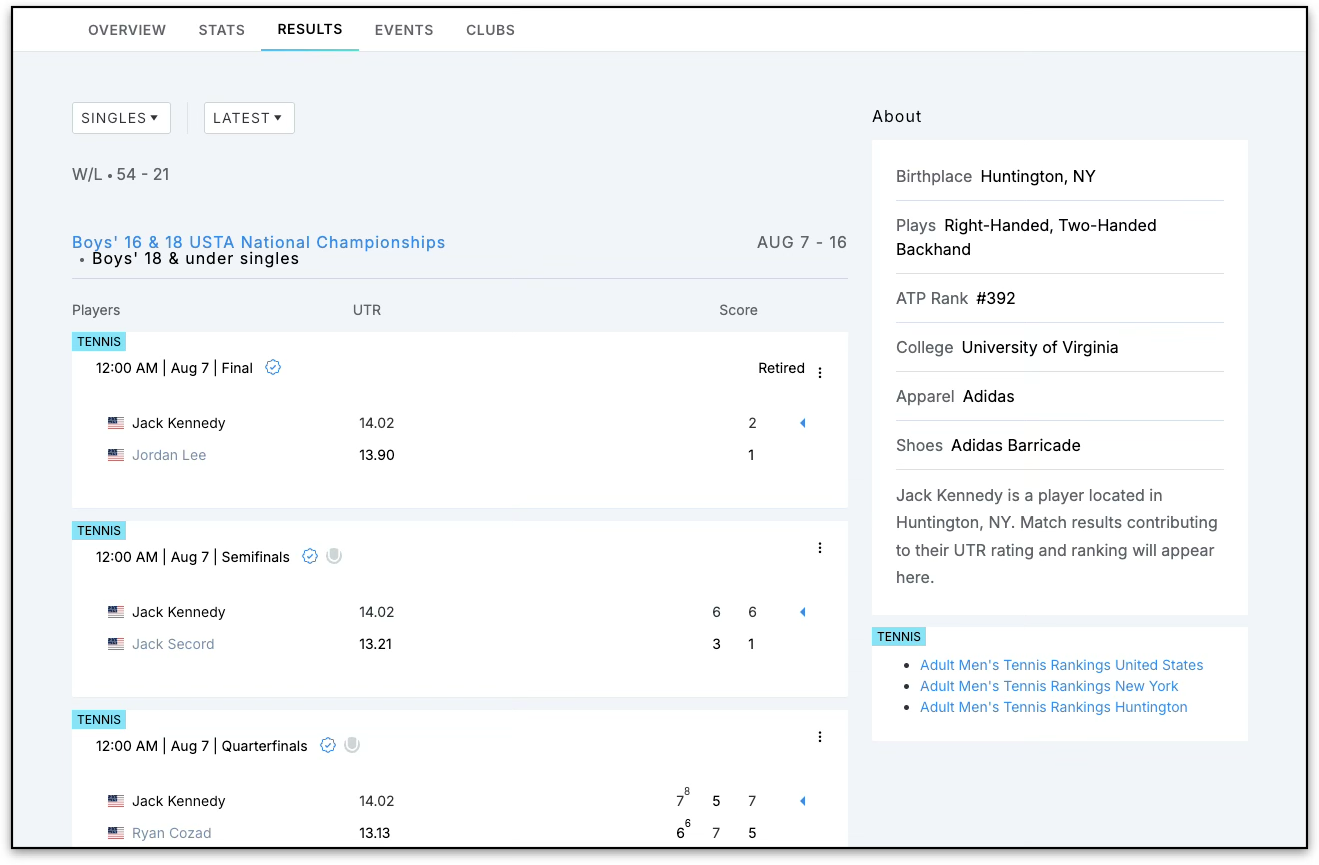
What information is shown?
Imported Event Pages provide more context than the original USTA result.
Depending on the event, you can see:
- The players who participated
- Each player’s UTR rating
- Match or tournament results
- For Adult League matches, the UTR rating of players on both teams
- The League Team Power Index on applicable League pages
This gives you more insight into the actual playing level behind a result, rather than relying only on the final score or NTRP rating.
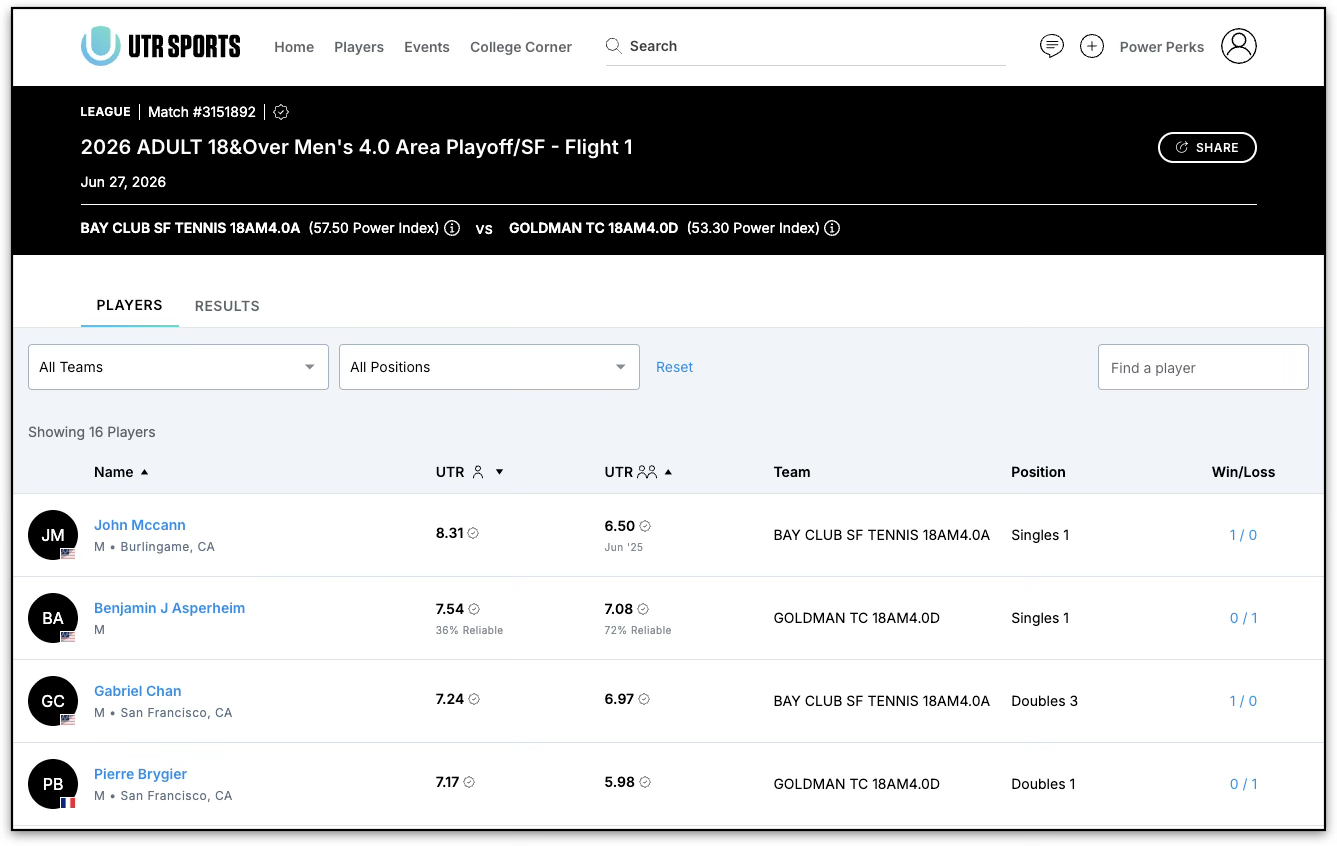
Can everyone see the UTR ratings?
The Imported Event Pages themselves are available to both Free and Power users, with no additional cost.
However, the rating information displayed depends on your membership:
- Power users: See full UTR rating details and the League Team Power Index.
- Free users: Ratings and the League Team Power Index are masked, with an option to upgrade to Power.
How do I report an incorrect score?
If you notice that a score on an Imported Event Page is incorrect, you can report it directly from the match card.
Use the three-dot menu on the match card and select the option to report a score error. This takes you through the existing score-reporting process without requiring you to leave the page.
Why don’t I see an Imported Event Page for an older result?
Imported Event Pages are not being created retroactively for every historical USTA result.
Pages are generated from a defined cutover date, meaning older results may not have an Imported Event Page.
Are Imported Event Pages available for non-USTA events?
Not currently. Imported Event Pages are based on USTA league and tournament results. Expansion to other league and tournament sources is planned, but there is no confirmed timeline yet.