
There are tons of perks that come along with your UTR Sports Premium Club. One of the advantages is your players receive a discount on our UTR Sports Power Player Subscription! A UTR Sports Power Player Subscription provides your players with benefits like a registration discount on unlimited Verified Events, access to advanced UTR Rating analytics, unlimited messaging to anyone in the UTR Sports database (including coaches), and advanced college research tools!
The Power Upgrade Link is available to you right on your club homepage:
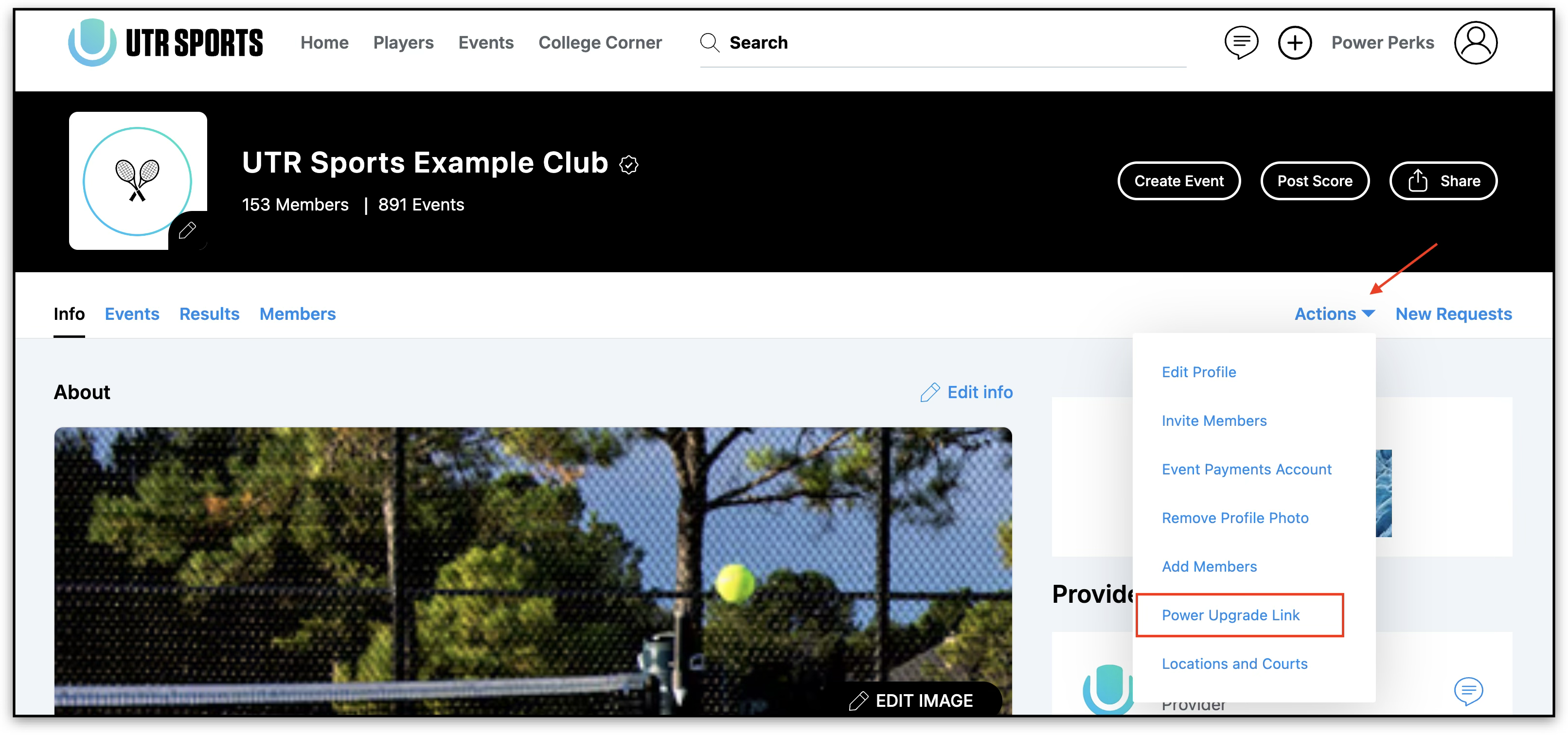
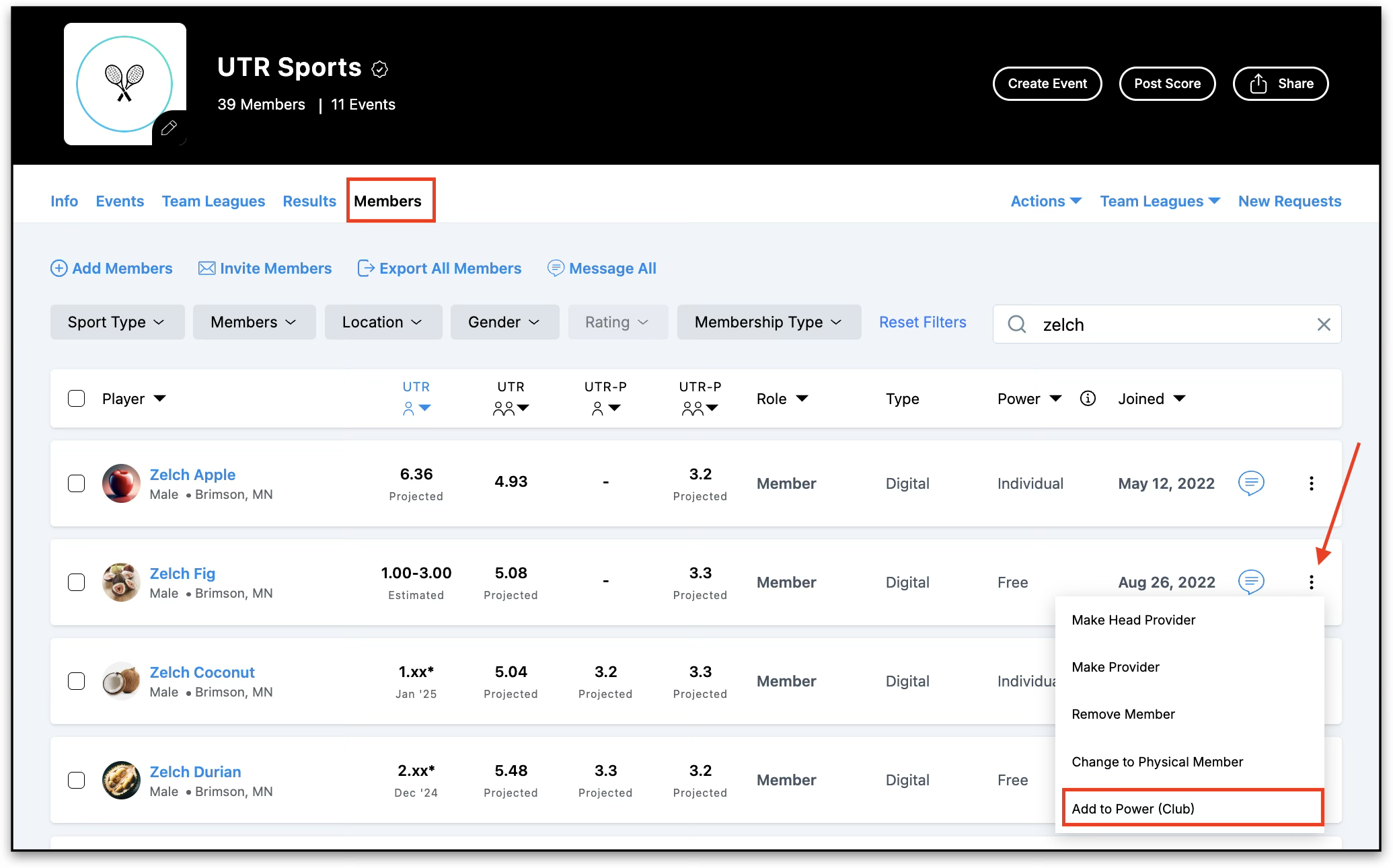
To assign Power to a single member
- Open your club page.
- Select the Members tab.
- Find the member you want to upgrade.
- Click the three-dot menu next to their name.
- Select Add to Power (Club).
- Review the membership details and confirm the assignment.
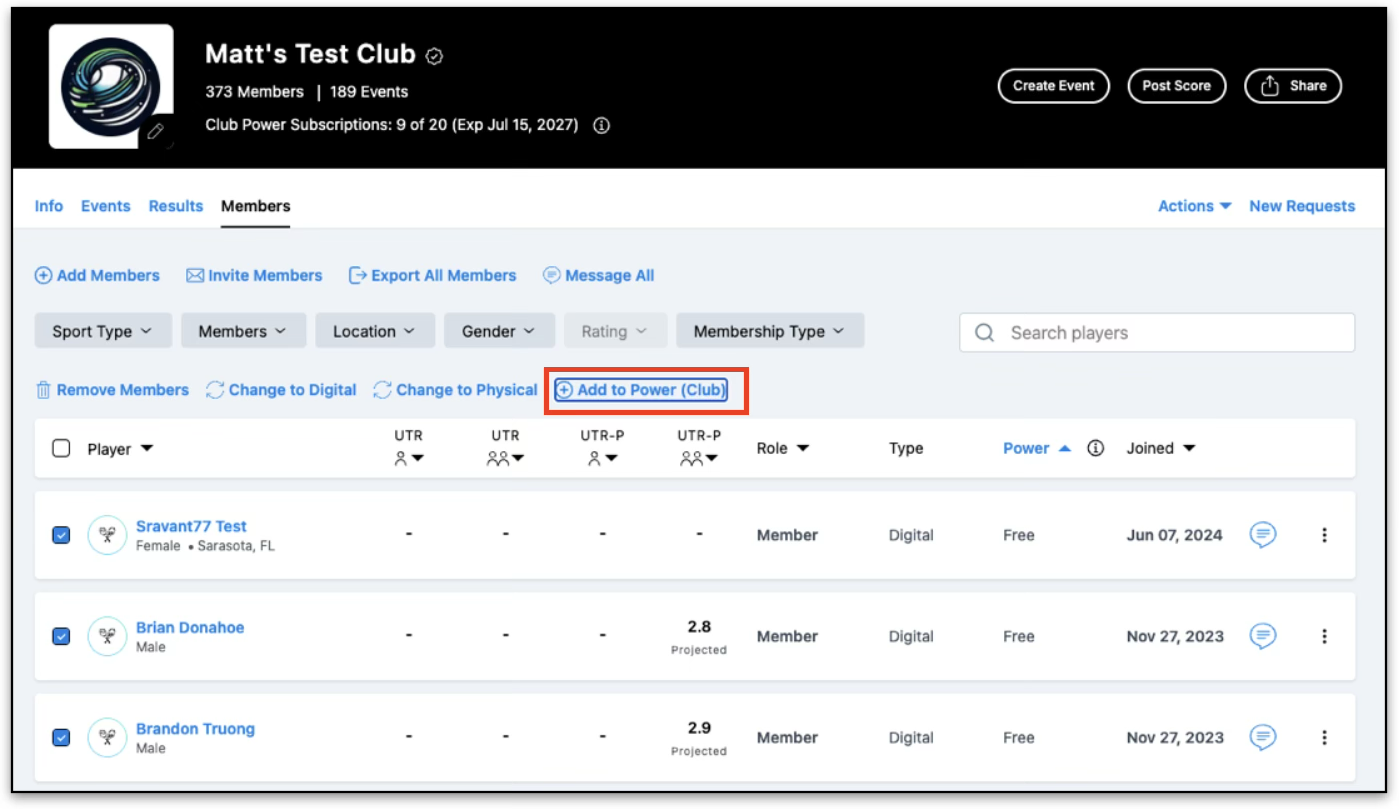
To assign Power to multiple members
- Open the Members tab.
- Select one or more members using the checkboxes.
- Click Add to Power (Club).
- Review the confirmation window.
- Confirm the assignment.
Once complete, the selected members will immediately receive Club Power.
Managing Club Power
Providers can easily keep track of Club Power usage. You'll be able to see:
- Seats used vs. total available seats
- Club Power start and expiration dates
- Each member's current Power status
- Members assigned Club Power will display a Club status on the roster.
Before Assigning Power
You won't be able to assign Power if:
- Your club has no remaining available seats.
- You're attempting to assign more members than available seats.
- The selected member is already a Provider.
- The selected member already has an individual Power subscription.
Removing Club Power
Providers can remove Club Power from members if needed. When Club Power is removed:
- The player loses access to Club Power benefits.
- A notification email is sent to the player.
- The subscription is removed from the player's Subscriptions page
Frequently Asked Questions
Q: Can I assign Power to any club member?
A: You can assign Power to eligible club members as long as your club has available seats.
Q: Why can't I assign Power to a member?
A: This can happen if:
- There are no available seats remaining.
- The member already has an individual Power subscription.
- The member is a Provider.
- The selected members exceed your remaining seat allocation.
Q: Can I remove Club Power from a player?
A: Yes. Providers can remove Club Power assignments when needed.
Q: What happens when a player's Club Power expires?
A: The player will lose access to Club Power benefits. If they wish to continue using Power, they can purchase an individual UTR Sports Power subscription.
Q: Can High School clubs use Club Power?
A: Not at this time. Club Power is currently available for Club and College organizations only.
Reach out to our Support Team with any additional questions regarding setting up your UTR Sports Events!