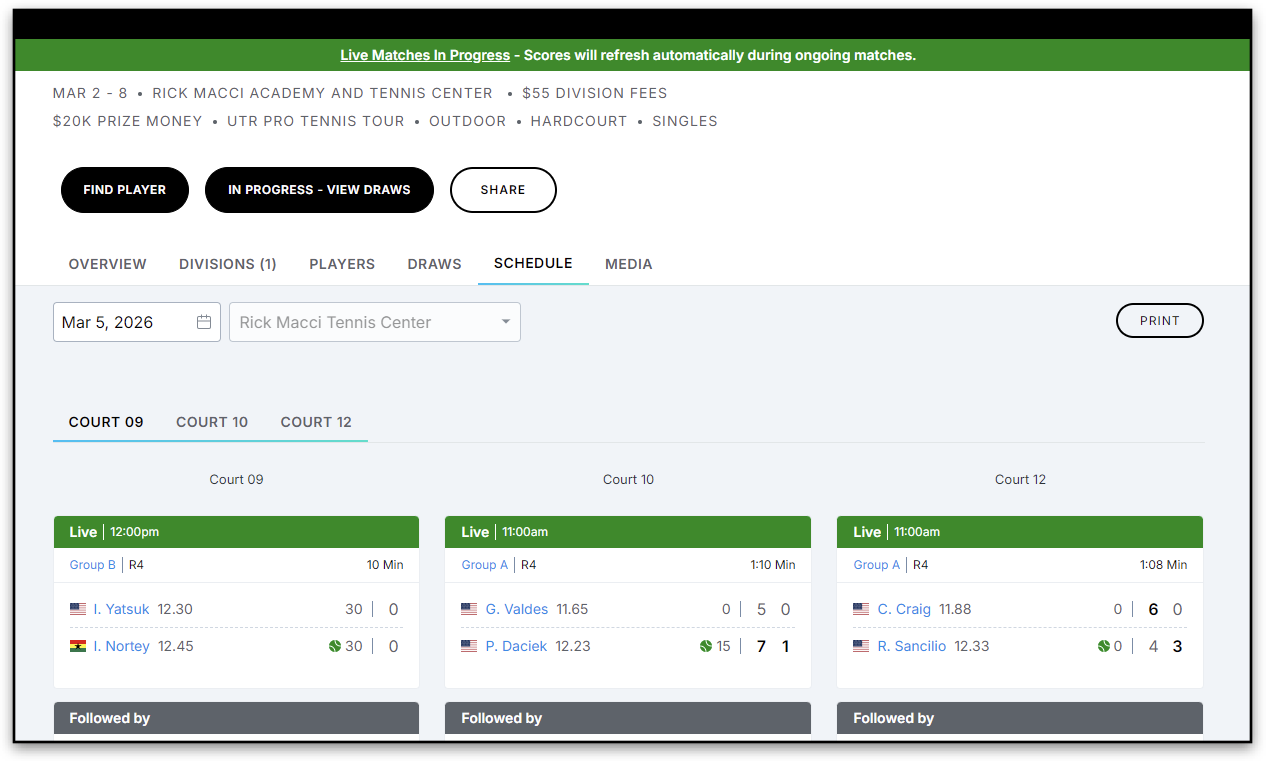
PTT (Pro Tennis Tour) events now support real‑time live scoring directly on match cards. This feature brings a live match experience that updates instantly as matches progress without needing to refresh the page.
Live Scoring Features
- Live Match Scores
- During a live match, you can see the current match duration on the match card.
- After the match is completed, the total match duration is displayed, so you know how long the match lasted.
- Match Duration
- During a live match, you can see the current match duration on the match card.
- After the match is completed, the total match duration is displayed, so you know how long the match lasted.
- Live Banner
- A green “Live Matches in Progress” banner appears at the top of the Event page.
- Clicking the banner jumps directly to all active matches in the Schedule tab.
- Player names during live matches
- Names automatically switch from [Full First Name] [Last Name] to [First Initial] [Last Name] while the match is live.
Match Status Indicators
Status | Banner Color | What’s Displayed |
|---|---|---|
Upcoming | Dark Grey | “Starts at,” “Not before,” or “Followed by” |
Completed | Light Grey | Final scores and match duration |
Suspended / Abandoned | Grey with label | Weather delays, cancellations, or other interruptions |
Retired / Withdrawn / Defaulted / Forfeited / Walkover | Upper-right label | Match outcome indicator |
Match Cards in the Draws tab
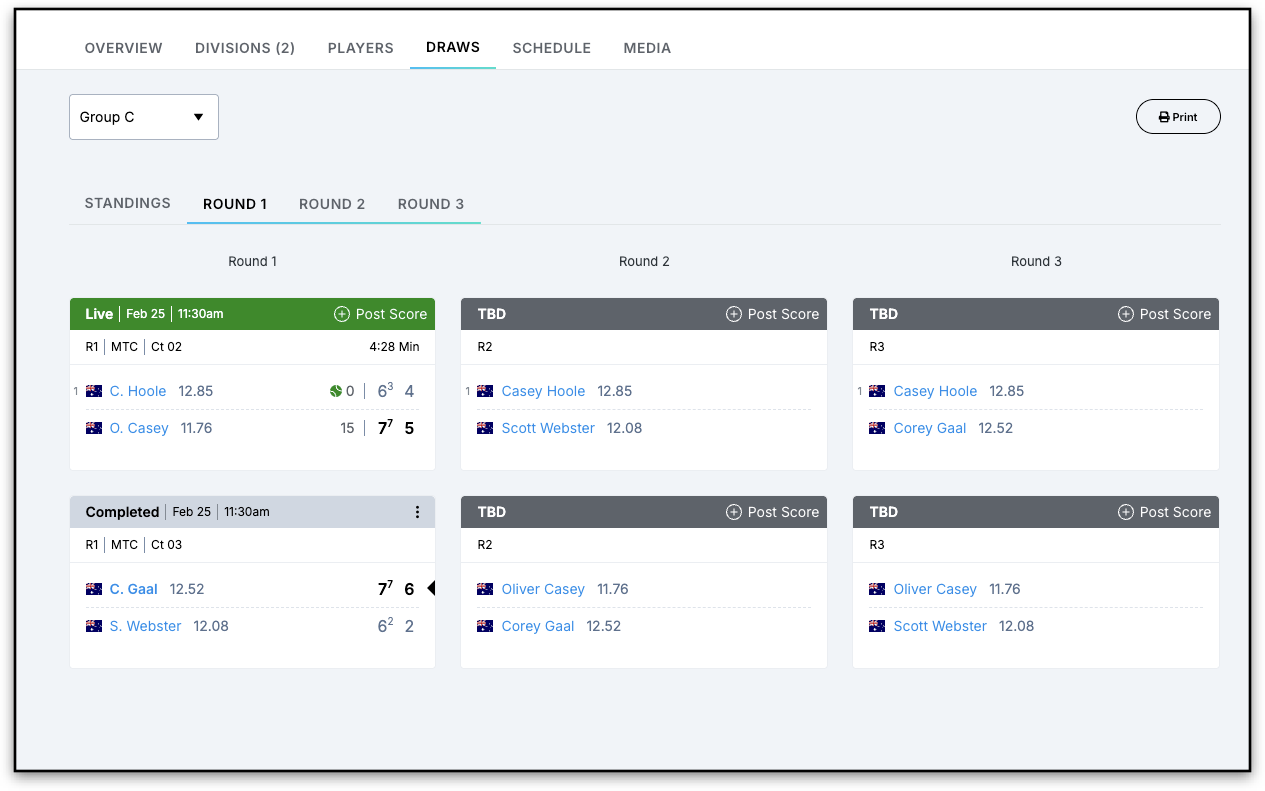
Match Cards in the Schedule tab