
Providers can manage players in events with Acceptance List divisions (Main, Qualifying, Alternate) directly from the Players tab of the event profile. This unified view reduces the need to navigate multiple tabs and makes managing complex events easier.
Note: Acceptance List rules apply only to singles divisions.
You can access this view by opening the Players tab on your event profile, where all registered players across every division are displayed in a single, organized list.
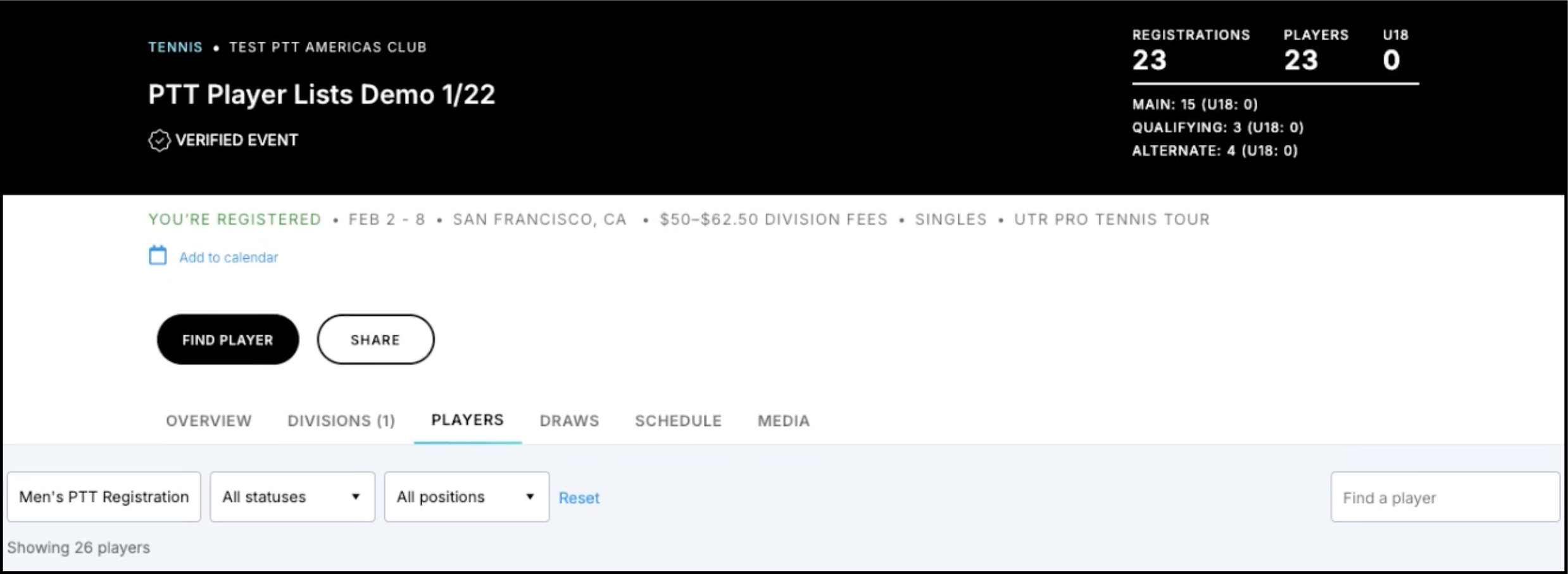
All Divisions Tab
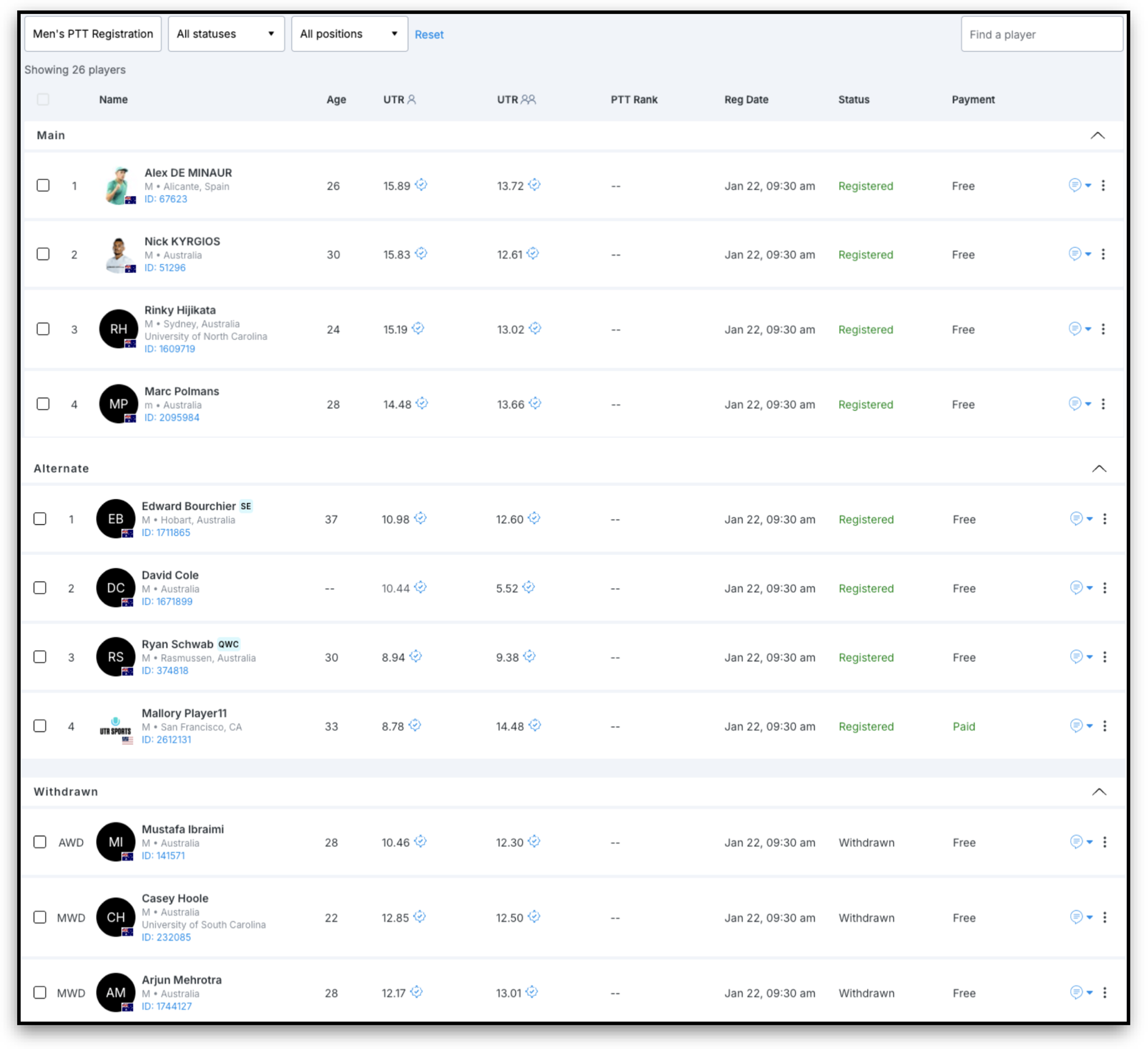
All Divisions view displays all registered players across every division in a single list. Players are organized into collapsible sections: Main, Qualifying, and Alternate.
Withdrawn players are publicly visible only after the registration deadline has passed and will include indicators showing where they withdrew from: MWD (Main Withdraw), QWD (Qualifying Withdraw), or AWD (Alternate Withdraw).
Search and Filters
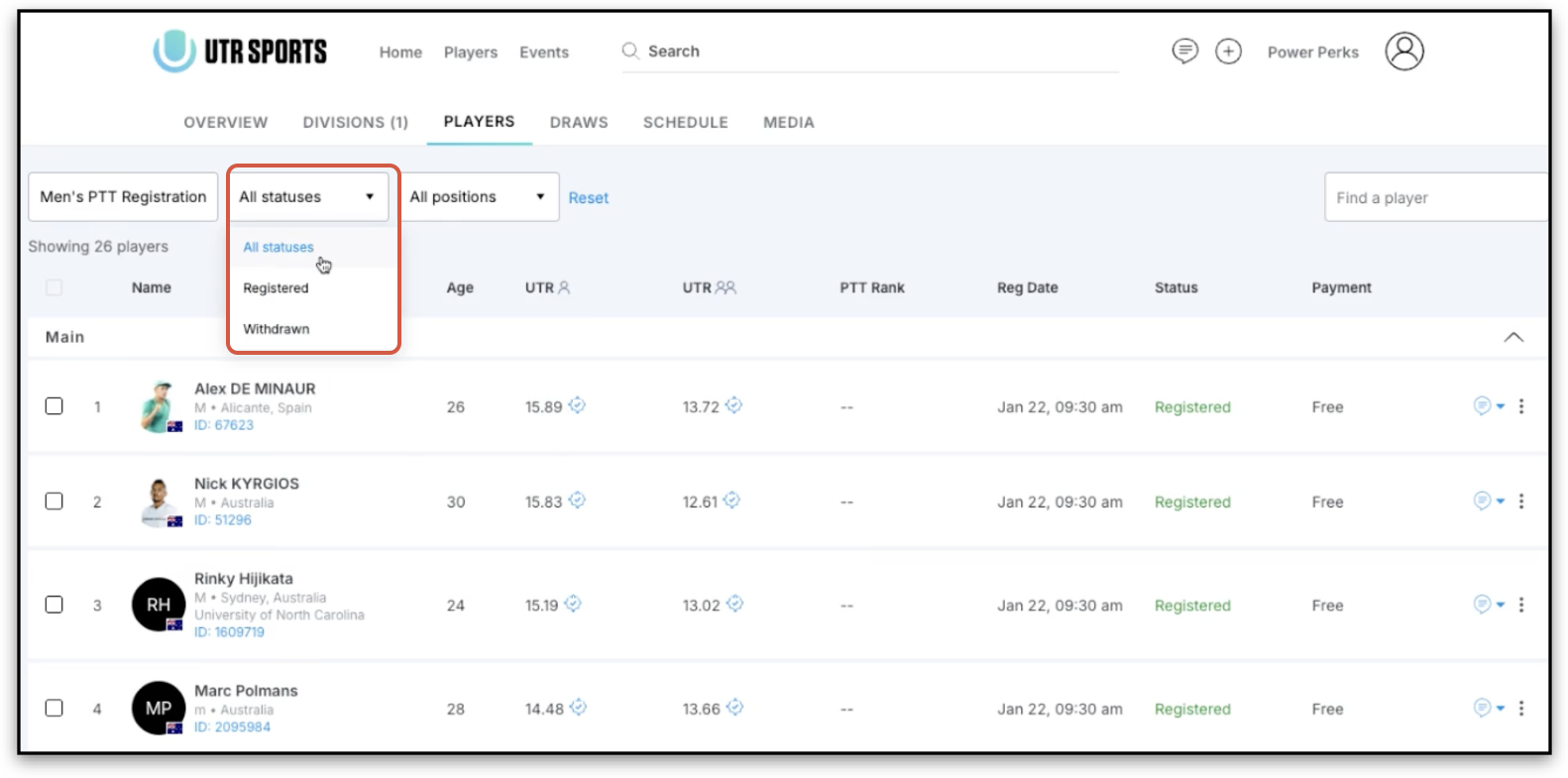
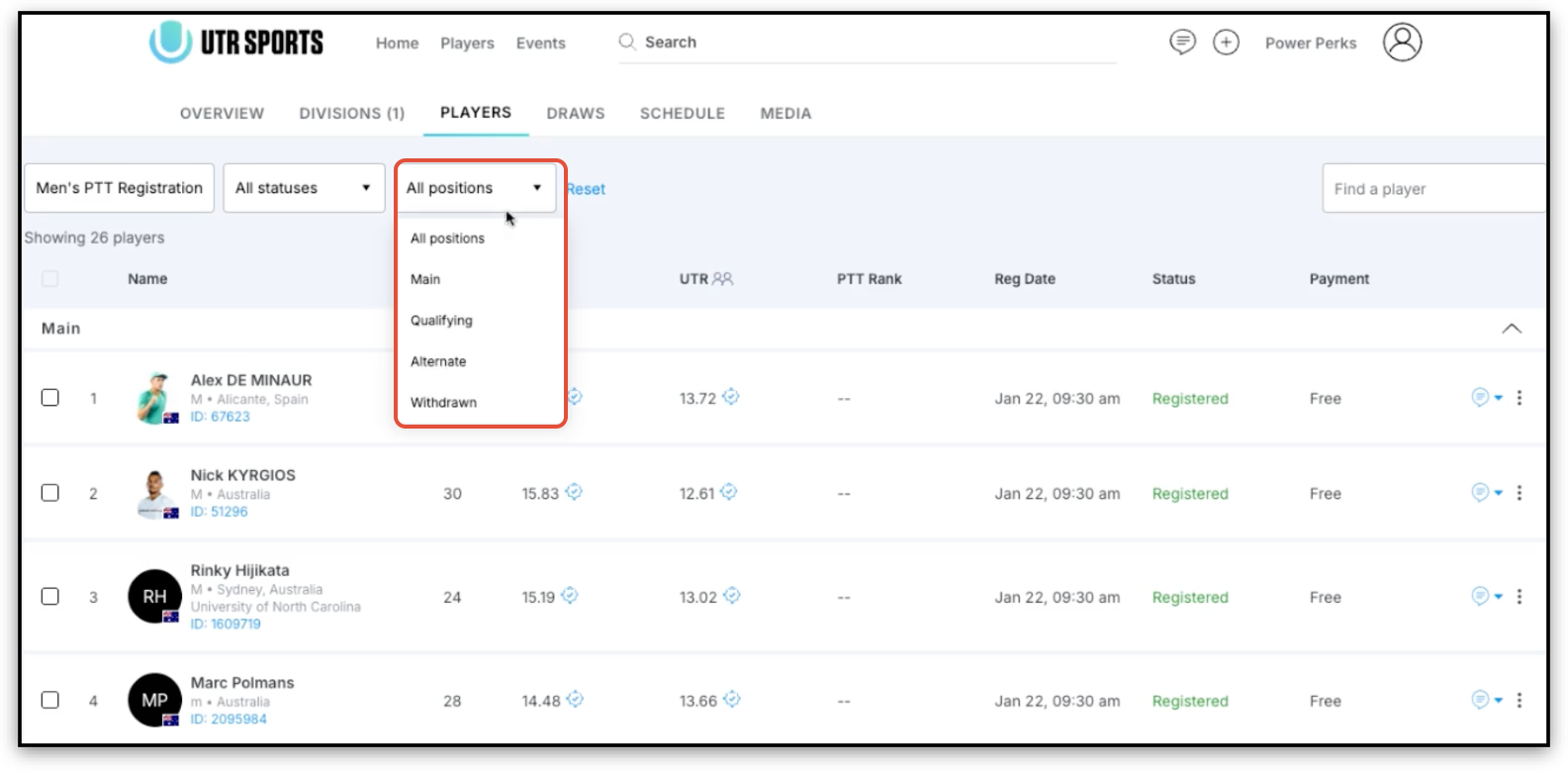
You can search for a player by name to instantly view their status, and use filters to narrow the list by:
- Division
- Registration status (Registered, Pending, or Withdrawn)
- Position within the event (Main, Qualifying, or Alternate sections)
Detailed Player Information
Each player entry includes:
- Age (visible to providers only)
- Registration status (Main, Qualifying, Alternate, Pending)
- Division(s) they are registered in
- Payment status
- Universal Tennis Rating (UTR) if applicable
Player Experience
Logged-in players will see their own row clearly highlighted as “This is You,” making their registration status easy to identify. Sensitive information, such as age and contact details, remains visible to providers only and is not shown publicly.
Messaging & Contact Management
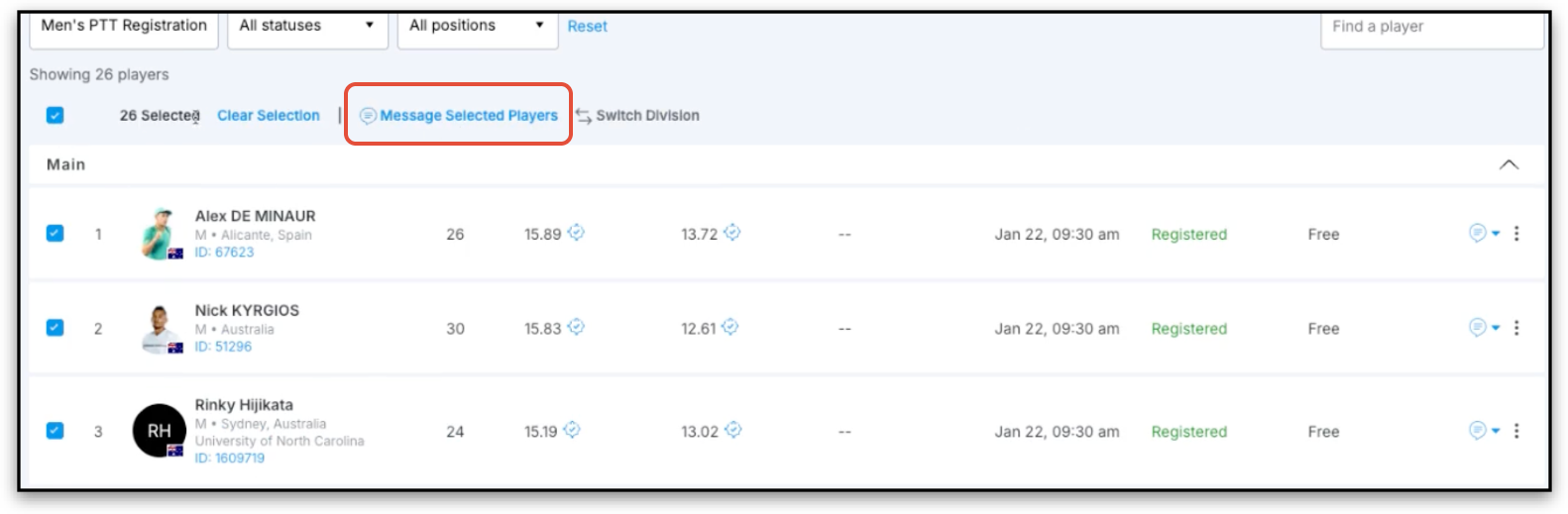
- Multi-select players to send messages directly within the system.
- View player contact information by selecting the message icon (phone/email visible only to providers).
Registration Management
Providers can:
- Withdraw players and process refunds directly from the All Divisions list.
- Manually move players between sections (e.g., Alternate → Main) if registration has ended.
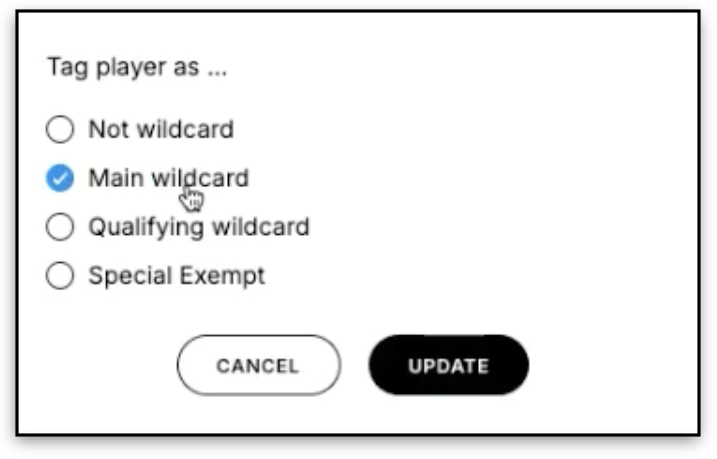
- Assign special status tags: MWC – Main Wildcard, QWC – Qualifying Wildcard, SE – Special Exempt
Note: After registration closes, players are not automatically promoted from Alternates if a Main Draw player withdraws. Any movement must be done manually to maintain fairness.

Having trouble creating your event? Chat with us! We're happy to help!